- This topic has 8 replies, 5 voices, and was last updated 11 years, 10 months ago by
ShadowFox.
-
AuthorPosts
-
-
November 22, 2014 at 12:02 pm #5631
Cirlex
MemberI have troubles launching Oort Online on steam.
When I click “Play” the message comes up if I want to play Oort Online or launch the editor, the editor works fine but when I choose play Oort Online and click play nothing happens. This is what it looks like..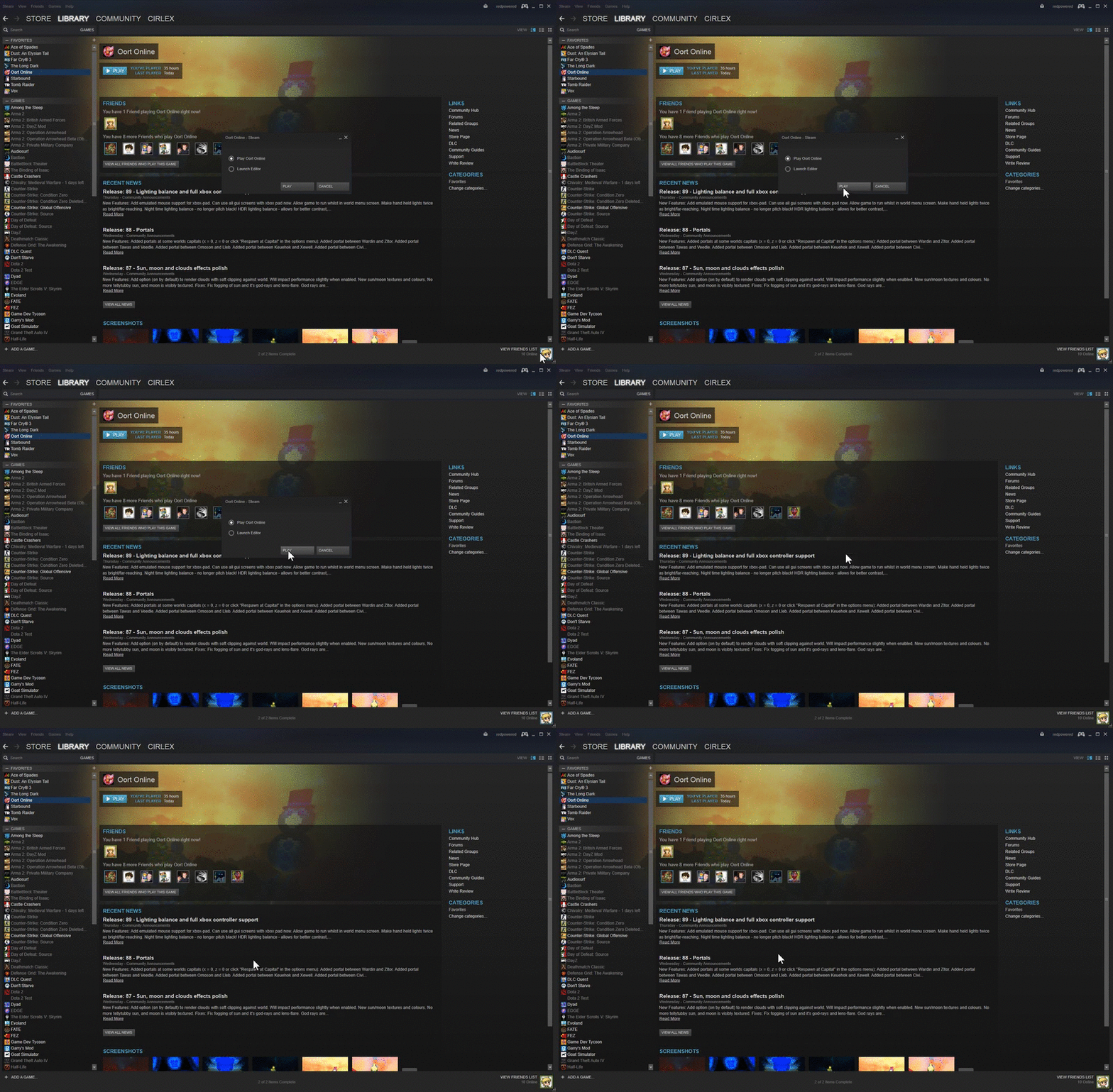
The game worked after the latest update, but then it suddenly just stopped working. All the other games on steam works fine.
I got windows 8.
-
November 22, 2014 at 1:38 pm #5632
michaelb
KeymasterMaybe an update did not complete correctly.
In Steam right click on Oort and choose Properties->Local Files->Verify Integrity Of Game Cache to see if that helps.Also have you tried a rebooted?
-
November 22, 2014 at 4:06 pm #5637Keymaster
Is there anything in c:\temp\tblz_log.txt?
Worth checking the file are installed ok. Should be in something like
C:\Program Files (x86)\Steam\SteamApps\common\Oort Online -
November 22, 2014 at 5:45 pm #5645
James
KeymasterTry starting the game. If it does start then a log file should be generated.
1. Try starting the game from within Steam.
2. Try starting the game directly.Send us both logs.
-
November 22, 2014 at 6:31 pm #5646Keymaster
Created which directory? c:\temp? If so is the log file in it?
The C:\Program Files (x86)\Steam\SteamApps\common\Oort Online should be created by steam.
-
November 24, 2014 at 1:08 am #5745
dtebbs
ParticipantIf the C:\temp directory exists, the game will try to write log information there. So if you’ve now created that directory, please try relaunching the game to see if the file is generated. If it is, please send it to us.
-
December 1, 2014 at 5:17 pm #6056
ShadowFox
ParticipantI have a similar issue and only know how to run in steam. It worked fine b4 but I would like to try it outside steam, how do I run it normally?
-
November 22, 2014 at 5:19 pm #5644Member
Created the directory now, what now?
-
-
AuthorPosts
- You must be logged in to reply to this topic.